
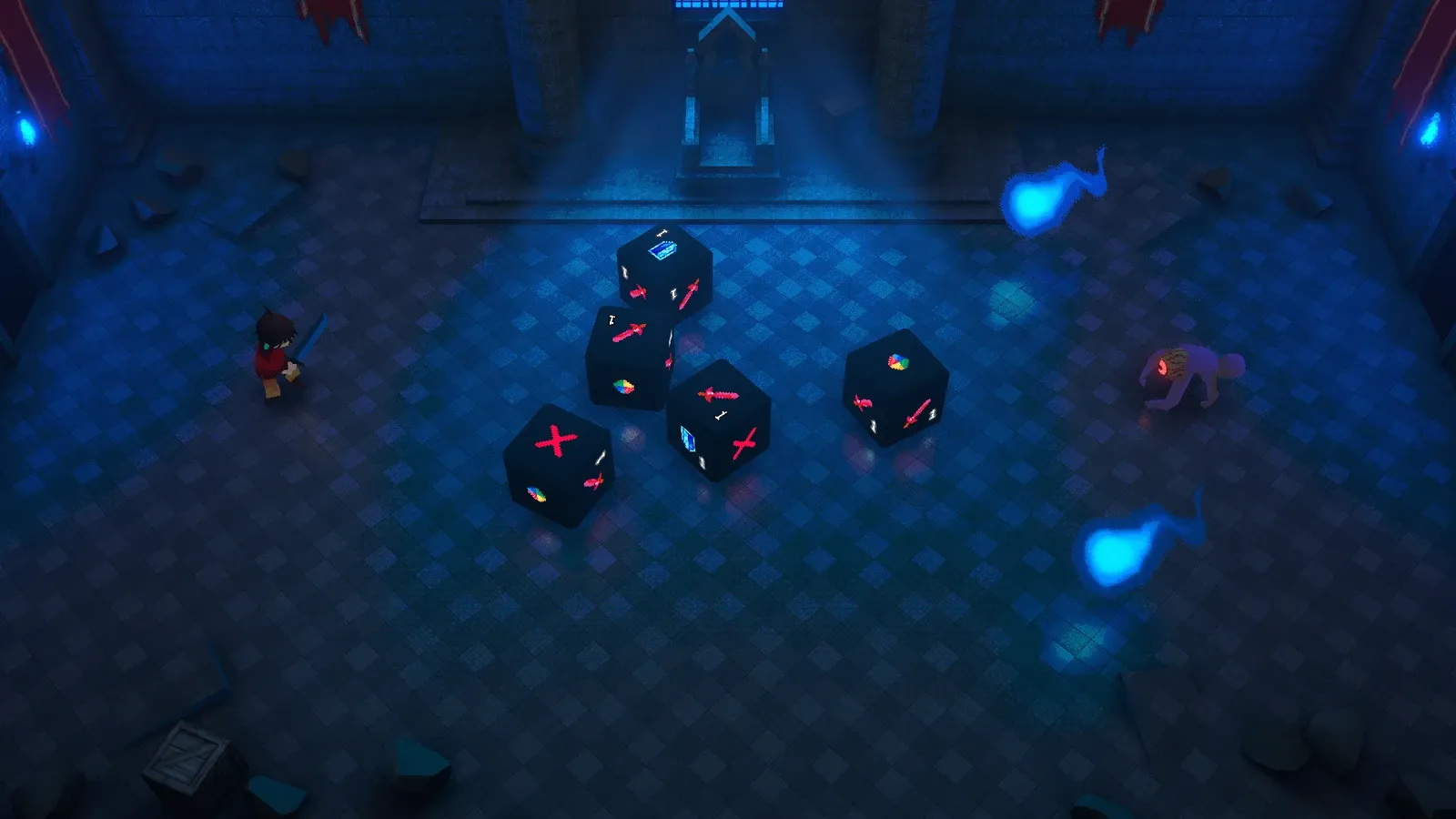
Cubilete’s shader already supported reflections. LoFi samples a baked cubemap, which is cheap and convincing for a room that doesn’t change.
The problem is a probe only knows what existed when it was baked. It doesn’t know about the dice rolling across the floor, the enemy standing over them, or the healing effect.
That’s fine in plenty of scenarios, where the floor is rough or non reflective and nothing needs to mirror. But I have ideas for a water scenario, and there are scenes with polished floors or more reflective surfaces, so it felt short.
I used the Throne Room as reference, it already had potentially polished tiles on the ground. I’ll probably lower the floor reflection in this room for final prod, but the support for future environments is there.
I could have replaced the cubemap with a fully rendered reflection of the scene. Instead I kept the part that was already cheap and correct and added the missing information: the cubemap still reflects the static architecture, and a planar camera reflects the dice, enemies and effects. Neither one has to solve the whole image.
Why not SSR
Screen space reflections were the obvious first candidate. SSR rebuilds reflections from what’s already on screen, mostly depth and opaque color. But some of the effects I most wanted on the Throne Room floor are additive transparents: spell effects, volumetric shafts coming through the window. They don’t write the depth and opaque color SSR needs, so it can’t recover them.
I didn’t want reflections here just to duplicate geometry. I wanted the transparent effects to be there and connected to the surface. Picking a technique that structurally can’t see them would have solved the less important half of the problem.
A planar reflection costs another camera render, but that camera sees transparent effects. So the optimization wasn’t avoiding the camera, it was deciding how little that camera should draw.
Reflecting only what moves
The planar camera’s culling mask contains a single reflection layer:
[Tooltip("Layers drawn into the reflection.")]
[SerializeField] private LayerMask reflectionLayers = 1; //Default
Dice, enemies and selected VFX belong to that layermask. The walls, pillars, windows and the rest of the scene don’t. The baked probe already covers static geometry, so drawing it again every frame would pay for an updated version of something that hasn’t changed.
The split does more than cut draw calls. It gives each source a job the other can’t do: the cubemap owns the environment, the planar pass owns everything that moves or is transparent. The material just combines them.


Loading full resolution…
The reflection camera itself is nothing special. I mirror its view across the floor plane, an oblique near plane clips anything below the surface, and culling gets inverted because the mirror flips handedness. I disable it as a normal camera and submit it explicitly once the source camera’s matrices for the frame are ready, otherwise it lags a frame behind while the camera moves.
The part that matters isn’t the camera setup, it’s the culling mask: the second view never even tries to render the static scene.
Compositing two incomplete reflections
The planar target clears to transparent black and keeps a real alpha channel. The material composites it over the cubemap with a premultiplied operation:
Reflection = CubemapReflection * (1.0 - planar.a * weight) + planar.rgb * weight;That handles every case I care about without the shader having to know what the camera drew. An opaque die writes alpha one, so it replaces the cubemap underneath and the wall can’t show through it. An additive god ray contributes RGB while leaving alpha at zero, so it brightens the room reflection instead of cutting a dark hole in it. Pixels the planar camera never touched stay at zero RGB and zero alpha, so the cubemap passes through unchanged.
Clearing to transparent black is what makes that work. Opaque black would mark every untouched pixel as covered and wipe most of the cubemap, leaving a black void anywhere no dynamic object got drawn.
It’s also why the two techniques don’t need some elaborate spatial blend. They aren’t competing estimates of the same scene, they each contribute information the other doesn’t have.
Making the result belong
A technically correct composite can still look off. First problem was roughness: a polished tile should keep a clearer reflection than a rough one. So the planar target stores a Gaussian mip pyramid and material roughness picks between its levels.
I calculate the blur radius in mip zero texels and convert that to a mip level, which keeps the authored blur proportional to the render height when resolution changes. It goes through scratch textures because reading one mip while writing another mip of the same resource isn’t a safe dependency.
Second problem was contact: a die resting on the tile and a spirit floating meters above it shouldn’t produce equally sharp reflections. The renderer reconstructs the rendered height above the plane from depth and writes it into a small single channel texture. That height adds to the blur radius, so a reflection is sharp at contact and spreads as the object rises.
That gave me the separation roughness alone couldn’t. Dice stay readable where they touch the floor. Hitodamas, the floating spirit flames, are additive and don’t write depth, so they fall back to a configurable background height and become a soft pool of light instead of a second crisp flame competing with the real one.
There’s also an art directed Fresnel term. A textbook curve went nearly invisible from Cubilete’s steep combat camera, so I tweak the response and shaping exponent. Still stronger reflection toward grazing angles, just not erased from the view players actually spend their time in. The geometric normal drives the falloff.
None of these controls change the core split. They just make the dynamic contribution feel attached to the same surface as the cubemap under it. I tweak the values as I see fit.
What the optimization actually buys
At a 1280×800 output (Steam Deck), the reflection target is half resolution: 640×400. With five stored pyramid levels, the calculated allocations are:
| Resource | Calculated memory (MB) |
|---|---|
| Reflection color and mips | 2.60 MB |
| 16-bit depth | 0.49 MB |
| R16F height buffer | 0.49 MB |
| Pyramid scratch textures | 0.65 MB |
| Total | 4.23 MB |
That’s allocation arithmetic, not a profiler measurement. In the Throne Room test the planar camera draws around 100 renderers, dice, enemies and effects, with the static environment excluded.
I don’t have a shipping frame time number yet. Editor measurements moved too much between runs, and the eventual target includes Steam Deck. Publishing one precise number would imply evidence I don’t have (yet).
One relative result did repeat reliably: dropping from full to half resolution helped, going below that didn’t produce a measurable improvement. Past half res the workload seemed more sensitive to culling and draw submission than to pixel count. Lower resolutions kept saving memory, they just stopped buying a clear timing win.
Which is why the meaningful optimization is the content split: the cubemap handles an entire room for the cost of sampling a baked texture, and the second camera only handles the small set of things that can change.
The Throne Room is the test, the water environment is the target
The semi polished floor is where I can test this system now. The reason I’m building it is a future water environment.
Water makes every part of the setup more useful. Static walls and distant architecture still belong in a cubemap, while characters, dice and combat effects need to update. God rays and other transparent light should reach the surface. Reflections should sharpen near contact and spread away from it, then strengthen toward the horizon.
The composite lookup is already clamped so future wave distortion can’t smear samples past the edge of the render target. There’s a wave warp subgraph that currently does nothing. The reflection plane also exposes a clip offset meant to stop artifacts where geometry meets a waterline.
Those pieces are dormant on purpose. The Throne Room is testing whether the underlying division works before water movement makes the image harder to diagnose.
On a (not so) polished tile, the hybrid reflection is a visual detail. On water, the absence of moving characters and light is something players notice immediately (or at least I would do).
Closing thoughts
I started out assuming a better reflection meant rendering more of the scene. It turned out to be the opposite.
The baked cubemap wasn’t a low quality fallback waiting to be replaced. For static architecture it was already the best source I had: cheap, stable and complete. The planar pass only became manageable once it stopped duplicating that work and rendered just the information a bake can’t hold.
That decision also simplified the shader. Opaque dynamics replace the environment where they cover it, additive effects brighten it, and untouched pixels leave it alone. Two incomplete techniques end up as one useful result because their responsibilities don’t overlap.
Most of what worked here came from deciding what not to render.
If this was informative, I hope it was, and if you are curious about the game, Cubilete is in development and available to wishlist on Steam. Wishlists genuinely help a solo developer out.